Down at 3:12 AM. You know at 3:13.
PingBeacon checks your websites, APIs and servers every 30 seconds from our servers and pushes an alert to your phone the moment one stops answering. Your phone can be off; the checks keep running.
In beta on TestFlight and Google Play internal testing.
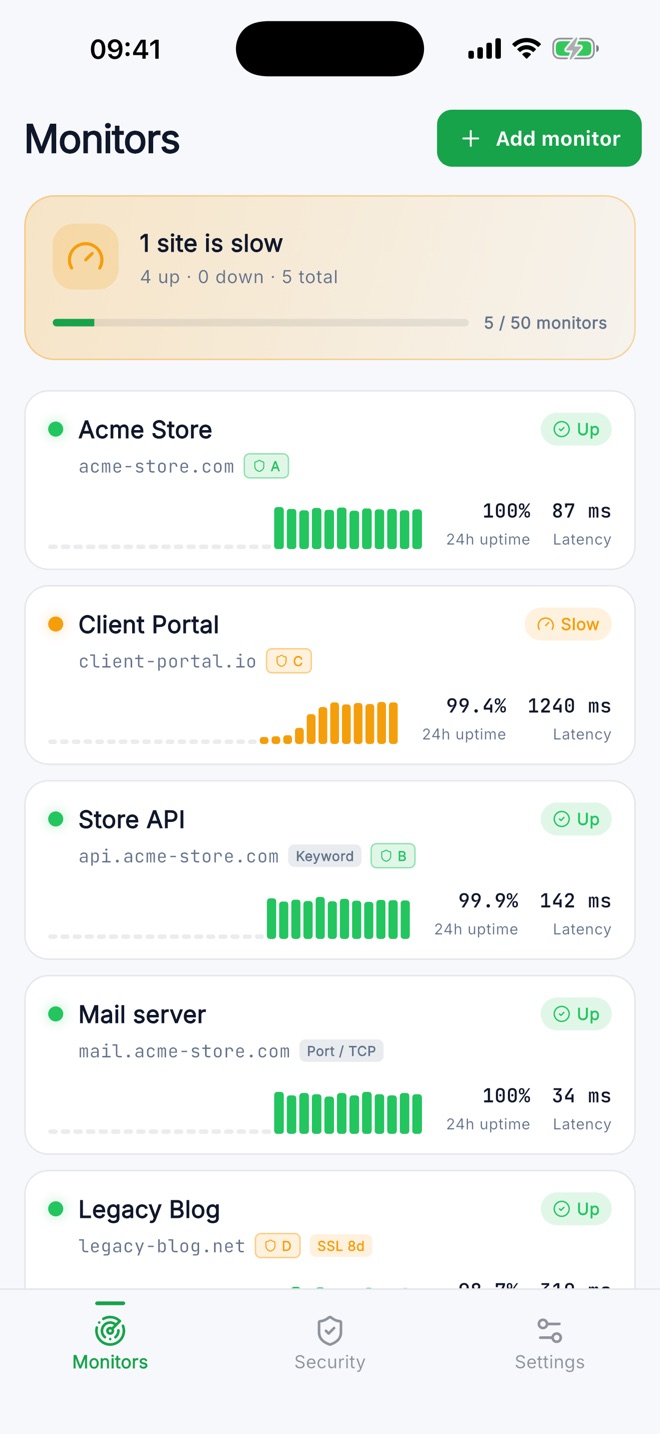

What PingBeacon watches
Add a URL or a host and pick what counts as healthy. Free accounts check every 3 minutes, Pro every 30 seconds.
Websites
HTTP status and response time. Expect a specific status code if you need one.
Keywords
Alert when text disappears from a page, or when an error message shows up on it.
Ports
SSH, databases, mail servers: anything that accepts a TCP connection.
Certificates
SSL expiry warnings at 30, 14, 7, 3 and 1 days before visitors see an error. Pro.
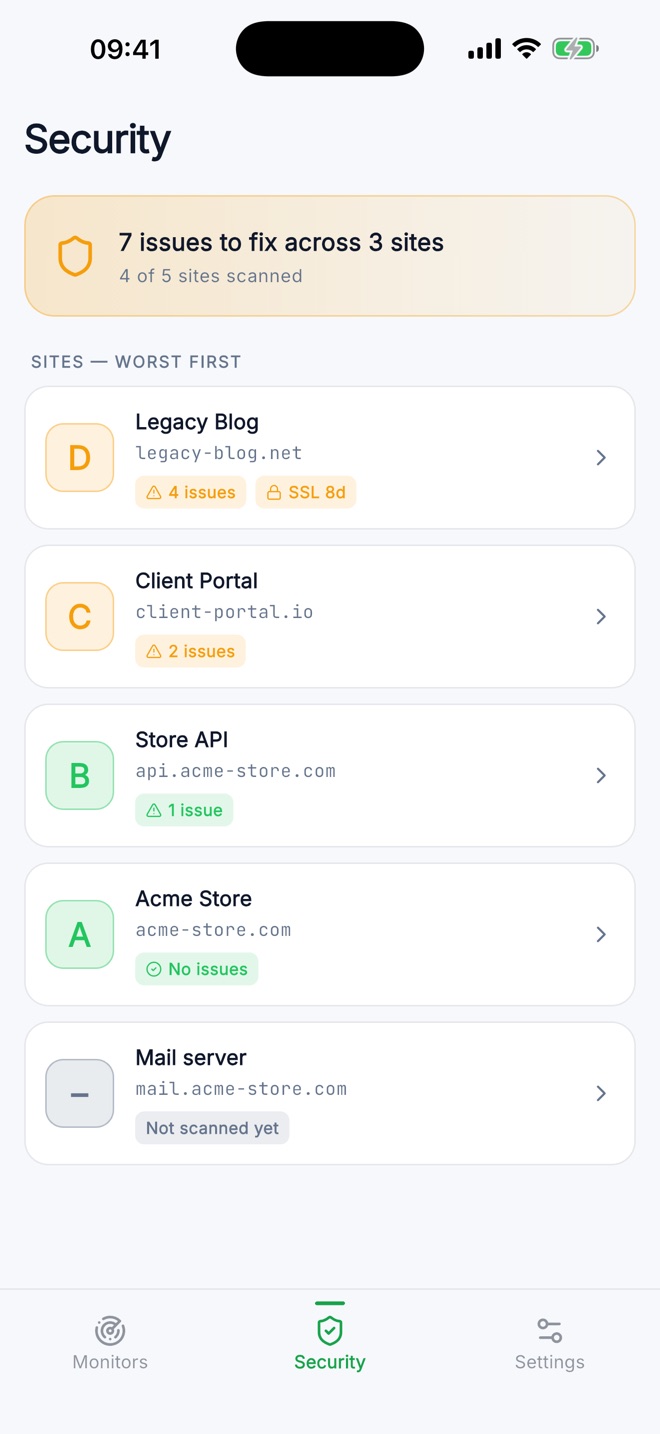
A security grade for every site
PingBeacon grades each site from A to F using only what any visitor can already see, and explains every fix in plain English.
- TLS and certificates: protocol version, chain and expiry.
- Security headers: HSTS, Content-Security-Policy, X-Frame-Options and more.
- Cookies and email: Secure and HttpOnly flags, SPF and DMARC records.
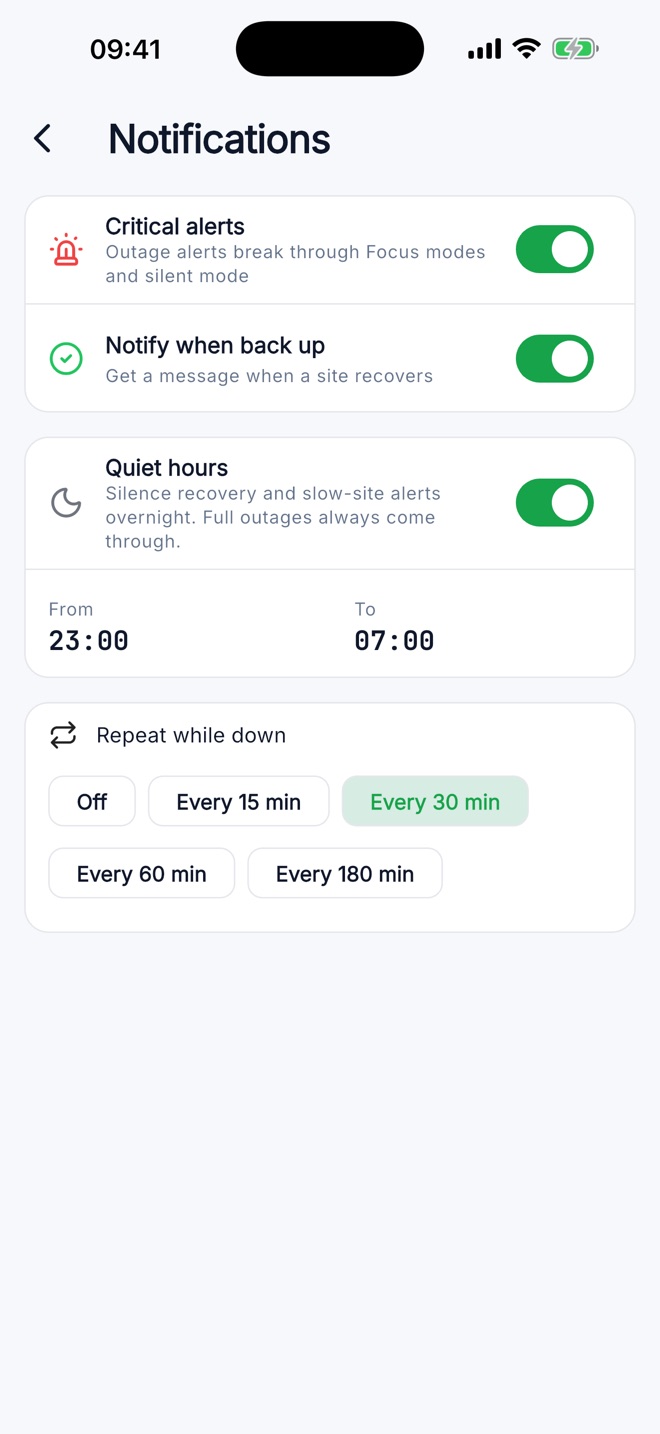
Alerts that respect your sleep
Quiet hours silence slow-site warnings and recoveries overnight. A full outage still gets through.
- Outage alerts are time-sensitive, so they get through Focus and Do Not Disturb when you allow it.
- Recovery notices tell you when the site is back, not just when it broke.
- Reminders repeat while a site stays down, at the interval you choose.
- Mute any monitor for 1, 8 or 24 hours, for example during maintenance.
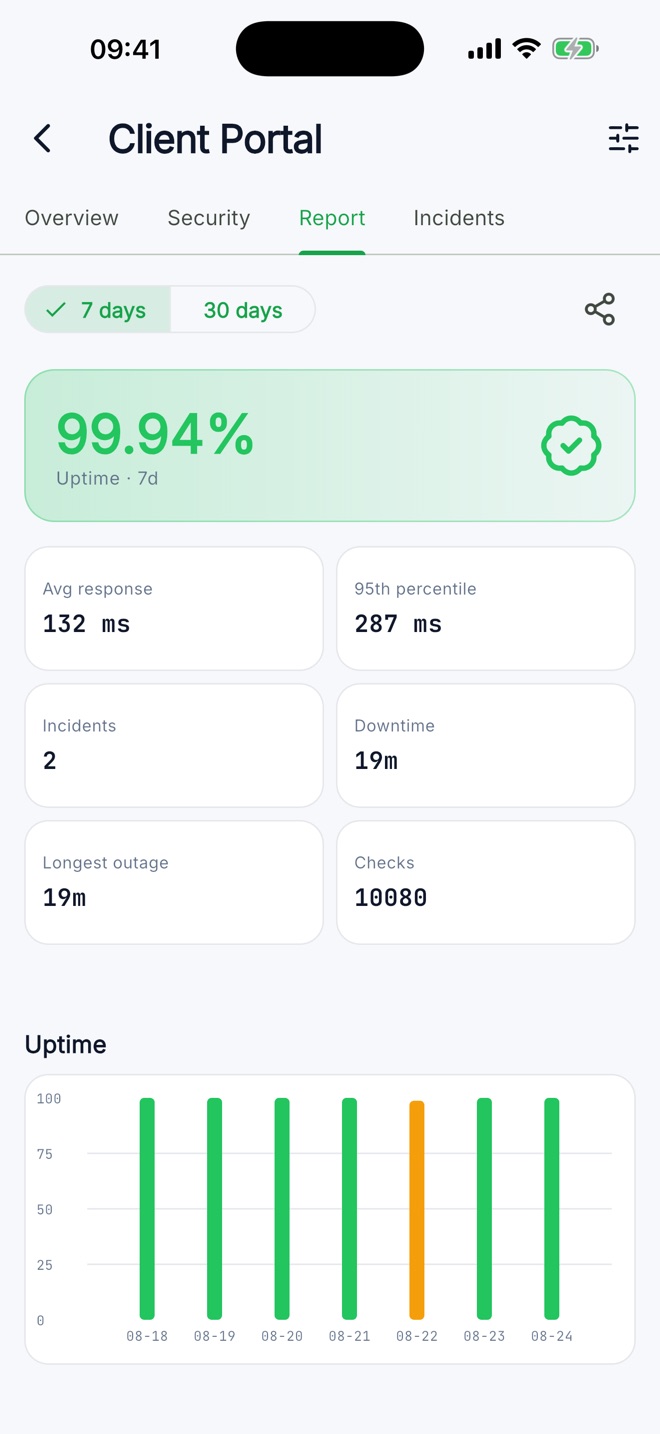
Reports you can send to a client
Uptime for the last 7 or 30 days, average and p95 response time, every incident and the longest outage, ready to share.
How an alert reaches you
Checks run on our servers in Chicago, not on your phone, so they keep going when your phone is asleep, offline or switched off.
We check
Every 30 seconds on Pro, every 3 minutes on Free, with a 10-second timeout.
We confirm
A site is marked down only after three failed checks in a row.
You get a push
Within seconds of the third failure, with the error that caused it.
It recovers
Two successful checks in a row close the incident and send a recovery notice.
Plans
Start free. Upgrade in the app when you need more monitors or faster checks; prices are shown in your local currency in the store.
Free
With ads
- Monitors
- 5
- Check interval
- 3 min
- Push alerts, quiet hours
- Included
- Security grade
- 1 scan / month
- Reports
- 7 days
Pro
Monthly or yearly, no ads
- Monitors
- 50
- Check interval
- 30 s
- SSL expiry alerts
- Included
- Security grade
- Unlimited scans
- Reports and groups
- 30 days
Questions
Does my phone need to be on for monitoring to work?
No. Checks run on our servers around the clock. Your phone only receives the notifications.
Do I need an account?
No sign-up is needed to start: the app creates an anonymous account on first launch. Sign in with Google or Apple later if you want your monitors on a second device or after changing phones.
Does the security grade scan my site for vulnerabilities?
No. It reads only what any visitor sees: one HTTPS request and public DNS records. It never probes paths or sends attack payloads.
Where are checks run from?
From our servers in Chicago, USA. Response times you see are measured from there.
How do I delete my account and data?
In the app, open Settings and tap Delete account. Everything is erased immediately. Other ways to request deletion.